



SuperPH App: Mobile Play, Cashier Access and Account Control
App access gives SuperPH users a direct mobile route to the game lobby, account tools, deposits, withdrawals, and support. The SuperPH App is most useful when you want quick repeat access from a phone without turning every session into a hunt through browser tabs, payment pages, and login screens.
SuperPH App for Everyday Mobile Access
Superph App brings the parts of SuperPH you use repeatedly into one mobile flow: Sign in, check the Peso balance, enter the lobby, open the cashier, review transactions, and reach account support.
A session may last only ten minutes. You might open SuperPH, check the balance, play a few rounds, then leave. Another time, the goal may be completely different: Add funds through GCash, confirm a withdrawal, or see whether a payment has already been credited. The App is useful when those tasks stay connected instead of making you rebuild the route each time.
It does not improve RTP, odds, or your chance of winning. Its advantage is simpler access and account control.
Treat the App as an account and lobby tool first. Convenience is useful, but it is not an edge over the games.
Installing the App Safely
Installation is the first point where care matters. Casino access routes can change, and mobile users may encounter downloadable files, browser shortcuts, or device-specific instructions. Start from the current SuperPH access route rather than a file shared through Messenger, Telegram, or an old social post.
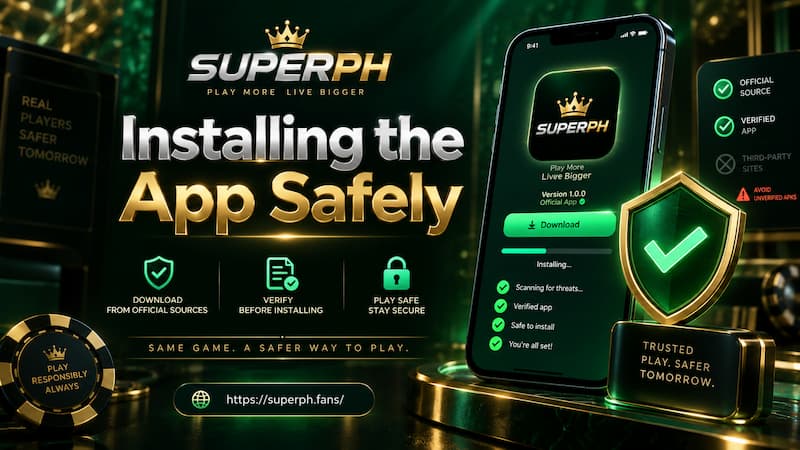
Installing the App Safely
Android Setup
If Android offers a downloadable installation package, read the device prompts instead of tapping through them automatically.
Before installing:
- Check that the file came from the SuperPH route you intended to use.
- Confirm the app name before approving installation.
- Avoid permissions that have no clear connection to normal use.
- Keep enough storage free for the installation.
- Turn off temporary “install unknown apps” permission afterward if you enabled it only for this purpose.
If Android blocks the file, do not keep trying random mirrors. Check whether SuperPH currently offers a newer package or a browser-based route.
iPhone and iPad Access
iOS can work differently. Depending on the current setup, access may involve an iOS installation route or a web-app shortcut added through Safari.
Follow the instructions shown for your device. An Android APK is not an iPhone file, and unfamiliar configuration profiles should not be installed without understanding their purpose.
Login, Balance and Account Controls
Once the App opens, check the account area before chasing game banners.
Returning users should use the existing SuperPH account rather than create another one simply because the App is newly installed. After login SuperPH, confirm the displayed balance and review recent transactions if a deposit or withdrawal is still pending.
A useful routine is:
- Log in and confirm the account.
- Check the Peso balance.
- Review transaction history when money is pending.
- Enter the lobby after the account details look correct.
- Log out when using a shared device.
A saved password is only as safe as the phone holding it. Face ID, fingerprint protection, or a strong PIN matters when the same device also contains OTP messages and e-wallet apps.
Games Inside the SuperPH App
A mobile lobby can get crowded quickly. Large thumbnails, jackpots, provider logos, and promotions compete for a small screen, so browsing by game type is more useful than endless scrolling.
Slots
Slots fit short mobile sessions and usually need less bandwidth than live video games. Use category, provider, recent-game, or favorite filters when available.
Before staking more, check the game information panel. Bet range, paylines or win mechanics, bonus rules, and published RTP tell you more than artwork or jackpot banners.
Live Casino
Live casino depends more heavily on connection quality. Baccarat or roulette with a live video stream can run smoothly on strong Wi-Fi and become frustrating on an unstable mobile signal.
If video repeatedly freezes while bets are being accepted, fix the connection before continuing. Clear visibility of bet status and results matters more than staying at the table.
Fishing and Other Categories
Fishing, card-style games, and other lobby sections may use faster betting cycles or different controls. Learn the rules before increasing the stake, even when the game looks simple.
Deposits and Withdrawals from the App
The cashier deserves more attention than the download button because this is where mobile convenience meets real money.

Deposits and Withdrawals from the App
Making a Deposit
For payment options such as GCash or Maya, check the cashier when you transact because available methods and limits can change.
A sensible deposit sequence is:
- Open Deposit.
- Select an available payment channel.
- Enter the amount in Peso.
- Check the payment instructions.
- Complete the payment.
- Return to the App and confirm that the balance updated.
If the wallet shows a successful payment but the casino balance has not changed, do not immediately send the same amount again. Save the transaction reference, refresh the cashier, check transaction history, and contact support if needed.
Withdrawing Carefully
Check the destination account before submitting a withdrawal, especially when several e-wallets or bank accounts are saved on the phone.
Also review verification or turnover conditions attached to the balance. A displayed balance and an immediately withdrawable balance are not always identical.
Old screenshots showing fixed minimums, maximums, or processing times can become outdated. The current withdrawal form is the better reference.
App or Mobile Browser?
Installing the App is not automatically the better choice.
| Use case | App | Mobile browser |
| Frequent login | Faster repeat access | More browser navigation |
| Occasional sessions | May be unnecessary | Easy to open and leave |
| Home-screen access | Direct | Shortcut may be possible |
| Updates | May require an update step | Web changes appear automatically |
| Storage | Uses device space | Minimal dedicated storage |
| Troubleshooting | App cache/install issues | Browser cache/session issues |
Frequent users may prefer a dedicated icon and quicker cashier access. Occasional users may find Chrome or Safari sufficient. Neither option changes the mathematics of the games.
Security Checks Before Using the App
The phone holding the App may also contain OTPs, banking apps, passwords, and identity documents. That makes basic security part of the casino experience.
Before depositing:
- Verify the exact domain you opened.
- Avoid installation links sent by strangers.
- Never give an OTP or password to someone claiming to be support.
- Use a unique password.
- Lock the phone with biometrics or a strong PIN.
- Recheck the payment destination before sending money.
Regulatory claims deserve an independent check as well. PAGCOR says its Guarantee service was created so users can verify whether an online gaming provider is duly licensed before playing or making payments.
Check the exact domain you are using, not just a familiar brand name. Domains can change, while a logo or screenshot can be copied.
Fixing Common App Problems
Most issues become easier once you identify whether the problem is the device, account, game, or transaction.
App Will Not Install
Check storage, Android installation permissions, and whether the download completed correctly. If the source looks questionable, stop rather than forcing the installation.
Login Keeps Returning to the Start Screen
Confirm your credentials and internet connection, then try mobile browser login. If the browser works but the App does not, the issue is likely the App session or local cache rather than the account.
Lobby Opens but a Game Does Not
Try another title. If only one game fails, the problem may be game-specific. If every game fails, switch between Wi-Fi and mobile data, close memory-heavy apps, then reopen the lobby.
Cashier Does Not Respond
Do not repeatedly tap Deposit or Withdraw. Review transaction history first so a delayed response does not become a duplicate request.