



Deposit at SuperPH: Clear Methods, Limits and Bonus Choices
Deposit at SuperPH is built around a simple choice: Pick the payment route you already trust, enter an amount that fits the current limits, and decide whether a promotion belongs in the transaction. A few careful checks before sending money can save far more time than fixing a wrong channel or tracing a delayed payment later.
Deposit Methods Available at SuperPH
The Deposit cashier gives players several ways to fund an account without forcing everyone through the same payment route. Current choices include GCash, Maya, GCashQR, GCASHPAY2, GrabPay, and Online Banking.
That variety is useful because payment habits differ. Someone who keeps most of their spending balance in GCash will probably find a wallet transfer more convenient than moving money into a bank account first. Another player may prefer Online Banking because every transaction is already recorded inside their banking app.
GCash also has a second layer of choice. After selecting it, several channels can appear, including:
- G-Cash Ch.8
- G-Cash Ch.20
- G-Cash Ch.19
This distinction matters. Choosing GCash decides the payment method; choosing G-Cash Ch.8, for example, decides the actual channel used for that Deposit request.
Do not treat an old channel as a permanent receiving destination. If Ch.8 was used yesterday and Ch.20 appears today, follow the instructions attached to the current request. Payment channels can change as processing capacity changes.
Maya currently carries a visible Cashback 2% label. That may make it attractive when two payment methods are otherwise equally convenient, but the cashback label should still be checked together with any applicable conditions before making the decision.
Familiarity is useful when depositing. A payment method you already use regularly is usually easier to verify, trace, and troubleshoot than one chosen only because it carries a promotional label.
Deposit Limits and Amount Selection
The current Deposit range runs from ₱100 to ₱50,000 per displayed cashier limits. That gives enough flexibility for a small top-up as well as a much larger funding request.
Preset buttons make common amounts quick to enter:
- ₱100
- ₱300
- ₱500
- ₱800
- ₱1,000
- ₱3,000
- ₱5,000
- ₱8,000
- ₱10,000
- ₱20,000
A custom amount field is also available when the number you want does not match one of the presets.
There is an important difference between the Deposit limit inside SuperPH and the limit attached to your own wallet or bank account. Seeing a ₱50,000 maximum in the cashier does not automatically mean GCash, Maya, or your bank will approve a ₱50,000 transfer from your account at that moment.
Your usable amount can depend on account verification, daily transaction limits, remaining wallet balance, and transactions already completed during the day.
For example, suppose you want to deposit ₱10,000 and the cashier accepts that amount. If only ₱8,600 remains available under your wallet’s current transfer allowance, the transaction can still fail on the payment side. Checking both limits before creating the request avoids an unnecessary second attempt.
The preset buttons are convenient, but they should not dictate how much you fund. Deposit the amount you intended to use, not the amount that happens to be easiest to click.
How to Complete a Deposit
A good Deposit starts before money leaves the wallet. The goal is to make sure the payment method, channel, amount, and promotion are all correct while they can still be changed.
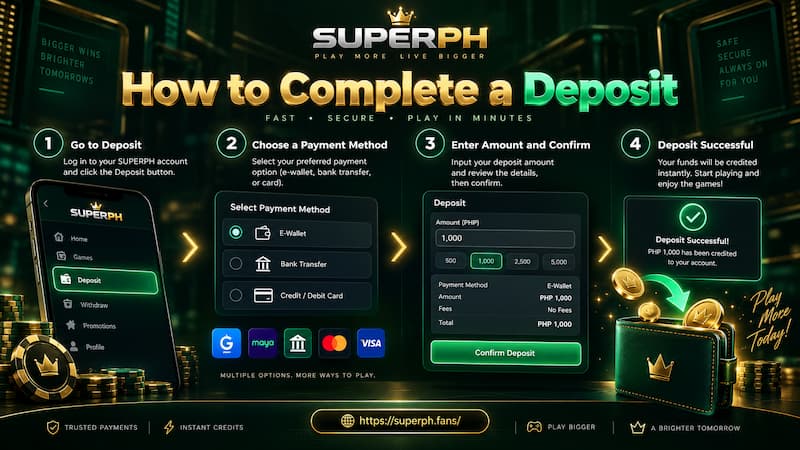
How to Complete a Deposit
Choose the payment route
Open the Deposit section after logging in, then select the method you intend to use. Available choices may include GCash, Maya, GCashQR, GCASHPAY2, GrabPay, and Online Banking.
If several channels appear underneath the chosen method, select one of the channels currently available rather than relying on details saved from a previous transaction.
Enter the Deposit amount
Choose a preset amount or type a custom figure. Keep the current ₱100 minimum and ₱50,000 maximum in mind.
Before continuing, check three numbers:
- The Deposit amount entered in the cashier.
- The available balance in your wallet or bank account.
- The remaining transfer allowance on that payment account.
It sounds basic, but amount mismatches are among the easiest payment problems to prevent.
Decide on the promotion
The cashier includes a promotion step instead of silently forcing a bonus onto every Deposit. This is useful because a bonus is not automatically the right choice for every transaction.
You can select an eligible offer or choose “Do not participate in any promotions.”
Make that decision before pressing the Deposit button. If the purpose is simply to fund the account with fewer conditions attached, deliberately opting out can be more suitable than accepting a promotion without reading its rules.
Apply and complete the payment
After checking the details, press Apply for Deposit and follow the payment instructions generated for that request.
Pay close attention to the receiving details displayed at that moment. Do not assume a previous payment address, QR code, channel, or account will remain valid.
Once payment is complete, return to the account and check whether the balance has updated.
Deposit Bonus or No Promotion
The Deposit cashier currently includes a Daily First Deposit Bonus (1/1) and shows a qualifying amount of at least ₱200. Players can also select the no-promotion option.
The minimum amount is only the first question. Before attaching a bonus to a Deposit, check what accepting it changes.
Check the conditions before selecting a bonus
Look for details covering:
- Minimum qualifying Deposit
- Maximum bonus value
- Turnover or wagering requirement
- Eligible games
- Games that contribute at reduced rates
- Withdrawal restrictions
- Expiration period
- Whether the offer can be claimed more than once
These details determine the real usefulness of a bonus.
Imagine two players each depositing ₱1,000. One intends to play for several sessions and is comfortable completing the required turnover. The other plans a shorter session and wants the freedom to withdraw unused funds quickly. The same bonus can make sense for the first player and become an unnecessary restriction for the second.
That is why the “Do not participate in any promotions” option deserves attention. It is not a lesser Deposit choice; it simply serves a different purpose.
For users who rely on Maya for deposits and withdrawals, the visible Cashback 2% label should still be treated separately from the Daily First Deposit Bonus. One is attached to a payment method, while the other appears in the promotion selection area. Do not assume the two rewards share identical conditions or can automatically be combined.
Choosing the Right Deposit Method
There is no single Deposit method that is best in every situation. Convenience depends on how you already manage money and how easily you can verify the transaction afterward.
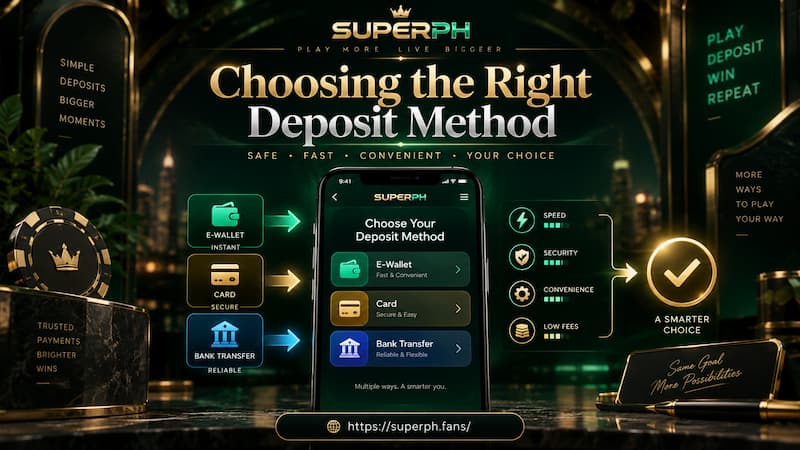
Choosing the Right Deposit Method
GCash for regular wallet users
GCash is a natural choice when the wallet is already part of your daily payment routine. You can quickly see whether funds were deducted, check transaction records, and keep the reference information if support is needed.
The extra G-Cash channel selection means one additional check is required: Make sure you complete payment through the channel attached to the active request.
GCashQR for QR-based payments
GCashQR provides another route for users who prefer scanning payment information instead of manually entering transfer details.
QR payment can reduce typing errors, but it does not remove the need to confirm the amount and recipient information before approval.
Maya when the payment benefit fits
Maya can be attractive for users who already keep funds there, particularly while the Cashback 2% label is displayed.
Still, cashback should be treated as an extra benefit rather than the sole reason to move money between wallets. Transferring funds into Maya purely to chase a small reward can add more steps, fees, or delay than simply using the funded wallet you already have.
Online Banking for direct account funding
Online Banking suits players who prefer keeping their payment trail inside a bank account. A bank transaction record can also be convenient when reconciling several deposits later.
The best choice is usually the payment route you can fund correctly, confirm immediately, and document if something goes wrong.
Handling a Delayed Deposit
A successful payment that does not appear in the gaming balance is much more stressful than choosing between two Deposit methods. The worst response is usually to send the same payment again immediately.
If the balance has not updated, work through the transaction in order:
- Check the wallet or bank account. Confirm whether the amount was actually deducted.
- Refresh the account balance. Make sure the Deposit has not arrived since the first check.
- Open Deposit History. Match the amount, time, and transaction status.
- Keep the payment receipt. Save the transaction ID, reference number, amount, date, and payment time.
- Contact customer service when necessary. Provide the transaction details so the payment can be traced.
- Avoid duplicate payment attempts. Wait until the original transaction is confirmed as failed before sending the same amount again.
The cashier specifically advises contacting customer service when transactions do not arrive on time. It also states that transaction history can only be checked for up to three days.
That three-day window deserves attention. A player who notices a missing ₱3,000 Deposit today has far more useful evidence available than someone who tries to reconstruct the same transaction a week later.
Take screenshots while the details are still visible, especially when the payment is deducted but the balance remains unchanged.
A transaction reference is more useful than saying, “I deposited yesterday.” Keep the exact amount, payment time, channel, and reference number until the Deposit is fully credited.
Checks Before Confirming a Deposit
A careful final check takes less than a minute and can prevent most avoidable payment confusion.
Before confirming, verify:
- The payment method is the one you intended to use.
- The selected channel is currently active.
- The Deposit amount is correct.
- Your wallet or bank has enough available balance.
- The receiving details belong to the current Deposit request.
- The bonus or no-promotion option was selected intentionally.
- Any promotion conditions are understood before acceptance.
- You can keep a transaction receipt after payment.
Security matters here as well. A payment reference or transaction receipt may be useful for tracing a Deposit, but your password, OTP, PIN, or wallet login credentials should never be shared simply to prove that a payment was made.
A smooth Deposit is not defined only by speed. It is one where you know exactly how much was sent, which channel handled it, whether a promotion applies, and how to trace the transaction if the balance does not update as expected.