



Why Filipino Players Use Maya for Betting Deposits and Withdrawals
Maya betting means using Maya as a payment route where an online casino currently supports it. The goal here is simple: Explain how deposits and withdrawals work, where fees or delays can appear, and how the 2025 e-wallet changes affect the way Maya is used today.
Maya Betting After the 2025 E-Wallet Changes
For years, Maya made sense for betting payments because many Filipinos already kept Peso balances in the same wallet they used for bills, transfers, mobile load, and everyday purchases. Funding an account could feel much more natural than reaching for a bank card or dealing with currency conversion.
That convenience changed shape in August 2025.
Following a Bangko Sentral ng Pilipinas directive, Maya removed links to gambling services from its Games feature on August 16, 2025. GCash made a similar change. The important detail is that the action concerned direct links and access inside e-wallet applications; it should not automatically be interpreted as proof that every possible Maya-related transfer route disappeared.
That distinction matters for anyone searching for Maya betting today. An old tutorial may tell you to open Maya, enter a gaming section, and select an operator. That flow is no longer a reliable reference.
The current cashier should be the starting point.
Direct Access and Payment Routes Are Different
Three things are often mixed together:
- Opening a gambling service directly from inside Maya
- Selecting Maya as a payment method inside a casino cashier
- Sending money through a separate wallet or bank-transfer route
They are not the same transaction.
If Maya appears inside the cashier, follow the instructions generated for that deposit. If it does not appear, an article or screenshot from last year is not enough reason to send money manually.
Treat payment instructions as transaction-specific. A receiving number that worked yesterday should not be assumed to be correct today.
Maya Fits the Way Many Filipinos Already Move Money
The attraction of Maya betting is less about a special gambling feature and more about familiarity.
Maya Wallet stores value in Philippine Peso and supports transfers, cash-ins, payments, and other everyday financial activity. That means a player who already receives or keeps money in Maya does not need to create an entirely separate payment routine just to fund an online casino account.
The practical advantages are easy to understand:
- Funds are already held in PHP.
- Transactions can be completed from a phone.
- Payment references remain available in transaction history.
- A separate credit card is not always necessary.
- Bank-transfer functions provide another route when supported.
Maya also publishes account limits according to account level and transaction type. For example, InstaPay transfers can have separate daily and monthly limits, while receiving funds through InstaPay is generally capped at ₱50,000 per transaction. Those figures can differ depending on account status, so checking the limits displayed inside the Maya app is more useful than memorizing a number from a payment article.
Availability Still Comes First
A Maya account does not guarantee Maya betting access at every casino.
When using SUPERPH, check the current cashier before preparing a payment. The useful question is not simply, “Does SUPERPH accept Maya?” It is whether Maya is available for your account, transaction amount, and selected deposit or withdrawal route at that moment.
Payment channels can change. So can processors, receiving accounts, minimum deposits, and maintenance schedules.
That is why the cashier should outrank an old promotional image every time.
Depositing with Maya at SUPERPH
A good deposit begins before money leaves the wallet.
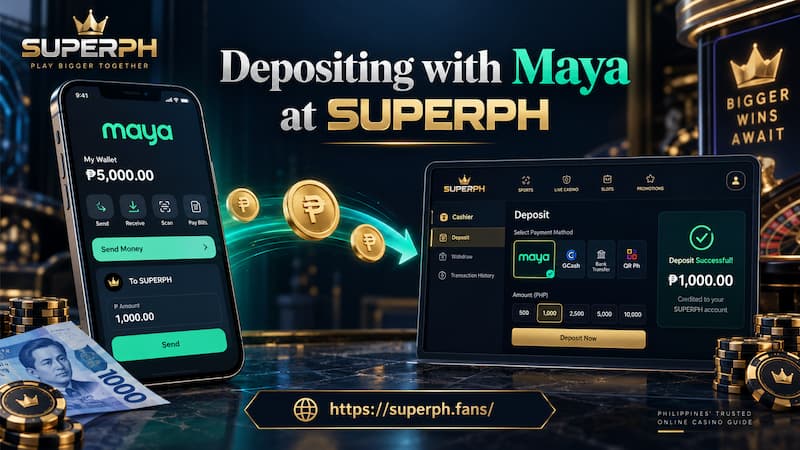
Depositing with Maya at SUPERPH
Check the Cashier Details First
Open Superph deposit section and review the payment information generated for the transaction. At minimum, confirm:
- Selected payment method
- Deposit amount
- Minimum and maximum limits
- Recipient name or account
- Wallet or bank number
- Payment reference
- Any displayed fee or additional instruction
Never assume a saved recipient is still active.
Casino payment processors sometimes rotate collection accounts. Sending ₱2,000 to a number used for a successful deposit last week may create a very different problem if that account has since been replaced.
Match the Exact Transaction
Suppose you request a ₱1,500 Maya deposit and receive a specific receiving account and reference number.
The cleaner process is:
- Keep the deposit page open.
- Enter the recipient exactly as displayed.
- Send the exact requested amount.
- Save the Maya confirmation screen.
- Wait for the casino balance to update before attempting another deposit.
Sending ₱1,499, forgetting a reference, or transferring twice because the balance has not appeared after thirty seconds can turn a routine payment into a support case.
Maya Confirmation Is Not Casino Credit
There are really two events during a deposit.
First, Maya confirms that the transfer was sent. Then the payment processor has to identify the transaction and credit the betting balance.
Those events may happen almost together, but they are technically separate.
If Maya shows ‘successful’ while the casino balance remains unchanged, immediately sending the same amount again is usually a poor troubleshooting choice. Check the transaction ID, recipient, amount, and time first. Those details give contact support something concrete to trace.
Withdrawing Betting Funds to Maya
Withdrawals move in the opposite direction, but the process is not simply a reversed deposit.

Withdrawing Betting Funds to Maya
The request normally begins inside the casino account. After the withdrawal is submitted, the casino may need to review the account, confirm payment information, and approve the request before funds are released toward Maya.
After Maya removed gambling links from its Games feature, remaining gaming transactions were expected to take place through gaming providers’ own apps or websites rather than through Maya’s former in-app gambling access.
Account Details Need to Match
A rejected withdrawal is often caused by something more ordinary than a technical failure.
Check:
- Account-holder name
- Registered mobile number
- Maya wallet information
- KYC status
- Requested withdrawal amount
- Current withdrawal limits
- Unfinished bonus or wagering conditions, if applicable
Using somebody else’s Maya wallet can also create unnecessary verification problems.
Processing Time Has Two Stages
“Five-minute withdrawal” and similar phrases can hide an important distinction.
There is casino processing time, followed by payment-transfer time.
A casino may approve a request quickly while the receiving transaction takes longer. The reverse can also happen: Maya may be capable of receiving funds almost immediately once the operator finally releases them, but the internal review may take longer.
For that reason, judge a withdrawal by its actual status rather than by the word “instant.”
Fees and Limits Can Change the Best Payment Route
Maya betting does not have one universal deposit fee or one universal transaction limit.
Three different layers may affect a payment:
- Maya’s own account and transfer limits
- The payment processor’s limits
- The casino cashier’s deposit or withdrawal limits
A ₱40,000 transaction might fit one limit while failing another.
Check the Transfer Route Before Confirming
Maya currently lists Maya-to-Maya Send Money transactions as free, while bank transfers through InstaPay carry a ₱15 charge. Other cash-in methods can have different fees.
This is why saying “Maya deposits are free” without identifying the actual route is too broad.
If a casino charges no internal deposit fee but the transaction requires an InstaPay bank transfer, the wallet-side cost can still exist.
Keep Proof When a Payment Stalls
For a missing or delayed payment, save:
- Transaction ID
- Amount
- Date and exact time
- Recipient details
- Maya status
- Deposit or withdrawal reference
- Screenshot of the receipt
That information is far more useful than sending support a message saying only, “My money is missing.”
Verify the Casino Before Funding It
Convenient payments should never replace operator verification.
PAGCOR regulates authorized gaming activity in the Philippines and maintains information covering licensed electronic gaming operations. It also launched PAGCOR Guarantee so users can check whether an online gaming provider is recognized by the regulator.
This deserves attention because PAGCOR has specifically warned about gambling websites displaying fake licenses and fraudulent PAGCOR credentials. It also states that Philippine Offshore Gaming Operations were banned and that previous offshore licenses cannot be treated as valid authorization today.
Payment Convenience Is Not Proof of Authorization
A casino accepting Maya, GCash, crypto, or bank transfers tells you how money can move. It does not establish regulatory status.
Check authorization independently before depositing.
PAGCOR’s responsible gaming rules also state that people under 21 are not allowed to gamble.
Maya Compared with Other Betting Payment Methods
Maya does not need to beat every other payment option to remain useful.
Its strongest case appears when the wallet is already part of your daily financial routine and the casino currently supports a straightforward PHP transaction route.
Compare payment methods using practical details instead of brand familiarity alone:
- Is deposit and withdrawal support available?
- Are both directions supported through the same wallet?
- What are the current limits?
- Is a transfer fee involved?
- Does the withdrawal require additional verification?
- How easy is it to trace a failed transaction?
Sometimes Maya may be convenient for depositing while another method makes more sense for withdrawal. Keeping more than one verified payment option also reduces disruption when one channel is under maintenance.
Using Maya Without Creating Payment Problems
Maya betting works best when each transaction is treated as a fresh payment rather than a routine copy-and-paste transfer.
Confirm that Maya is currently available. Check the amount and receiving details again. Know which fees and limits apply. Save the transaction reference. For withdrawals, make sure the account information matches before submitting the request.
The process is simple when those small details line up. More importantly, they give you a clear record of where the money went if anything does not.